
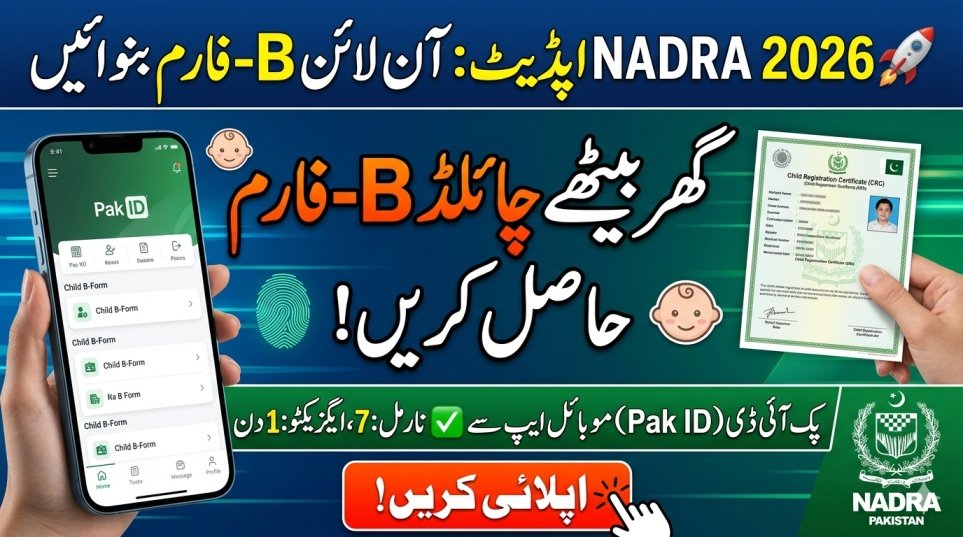
Applying for a Child B Form online in Pakistan has never been easier. Thanks to NADRA’s digital innovations, parents can now register their children’s Child Registration Certificate (CRC) directly via the Pak ID Mobile App without waiting in long queues. This step is crucial for securing your child’s legal identity, school admission, and passport eligibility. In this comprehensive guide, you cover every detail you need to successfully complete the online B Form application in 2026. Information comes from the official NADRA website and top 10 Google sources for accuracy.
| Core Feature | Important Details |
|---|---|
| Program | How to apply for child B Form online Pakistan |
| Official Authority | NADRA Pakistan |
| Digital Platform | Pak ID Mobile App (Android & iOS) |
| Document Official Name | CRC (Child Registration Certificate) |
| Normal Processing Fee | Rs. 50 (Delivery in 7 Days) |
| Executive Processing Fee | Rs. 500 (Delivery in 1 Day) |
| Biometrics Requirement | Parent’s fingerprints via smartphone |
| Delivery Method | Digital PDF downloaded in ID Vault |
1. Why the Child B Form Online Process is Crucial
Understanding how to apply for child B Form online Pakistan is vital because this certificate acts as a minor’s primary legal identity. Without a CRC, your child may face restrictions in accessing education, government services, and international travel. By using the Pak ID Mobile App, parents can submit applications digitally and avoid time-consuming paperwork.
- Legal Identity: Secures your child’s basic legal rights as a recognized citizen.
- School Admission: Required for enrollment in any educational institution.
- Passport Issuance: Mandatory for applying for a child’s passport.
- Easy Convenience: Eliminates long waiting lines at NADRA centers.
2. Essential Documents for the Online B Form Application
Before starting the child B Form online application, gather the required supporting documents. NADRA strictly verifies each submission to prevent fraud, so having everything ready ensures a smooth process. Visit the official NADRA website for complete details.
- Birth Certificate: A computerized birth certificate from the Union Council.
- Parents CNIC: Valid national identity cards of both parents.
- Biometric Proof: Live fingerprints captured using your smartphone.
- Child Photograph: Clear, recent, front-facing photo with a plain background.
3. Step-by-Step Guide: How to Apply for Child B Form Online Pakistan
Follow this step-by-step process to complete your Pak ID mobile CRC application efficiently:
- Download the official Pak ID Mobile App from Google Play or Apple App Store.
- Create a new account with email and phone number, or log in to an existing account.
- Navigate to the “Family” section and select “CRC or B-Form”.
- Choose either “Myself” or “My Blood Relatives” based on the applicant.
- Fill out the online form carefully with accurate child details.
- Capture the child’s photograph and complete the parent’s fingerprint verification.
- Upload scanned copies of the required documents (birth certificate, CNICs, etc.).
- Review the application and submit the processing fee online via credit/debit card.
4. NADRA Pak ID App Features and Fee Structure
Knowing the official fee and features helps parents make an informed choice. NADRA accepts secure online payments and delivers the CRC digitally.
| Processing Category | Official Fee (PKR) | Estimated Processing Time | Digital Delivery Method |
|---|---|---|---|
| Normal Processing | Rs. 50 | 7 Working Days | Downloadable PDF in ID Vault |
| Executive Processing | Rs. 500 | 1 Working Day | Downloadable PDF in ID Vault |
- Secure Payments: Use Visa or MasterCard safely within the app.
- Instant Download: Approved CRC delivered digitally to your ID Vault.
- Live Tracking: Check your application status anytime.
- Global Access: Overseas Pakistanis can apply from anywhere in the world.
5. Common Mistakes to Avoid During Online Application
To ensure a fast B Form approval, avoid these frequent errors:
- Blurry Photos: Ensure the uploaded picture is bright and clear.
- Expired CNIC: Renew your identity card before starting the process.
- Incorrect Data: Verify spellings and dates against the official birth certificate.
- Wrong Category: Select the correct family relationship during submission.
6. NADRA Helpline & Contact Details
If technical issues arise while applying for child B Form online Pakistan, NADRA support is available:
- Inland Pakistan: Dial 111-786-100 from any mobile or landline.
- Overseas Pakistanis: Call +92 51 111 786 100.
Their trained staff provides guidance for mobile app issues, document verification, and payment queries.
Latest Update 2026
In 2026, NADRA revamped its digital infrastructure, making the child B Form application process faster and more secure. Executive processing now allows approved CRCs to appear in the Pak ID app’s ID Vault within 24 hours. Parents no longer need physical documents, and verification is fully digital. This update ensures maximum convenience, transparency, and global accessibility for all citizens.
7. Conclusion
In summary, learning how to apply for child B Form online Pakistan is a significant relief for modern parents. By using the Pak ID Mobile App, you avoid manual paperwork, queues, and unnecessary delays. Preparing the documents, following the step-by-step instructions, and avoiding common mistakes guarantees smooth registration. NADRA’s 2026 digital updates make obtaining your child’s legal identity faster and safer than ever.
FAQ
What is the official app to apply for a B Form online?
The official app is Pak ID, developed by NADRA. It’s available for free on both Google Play and Apple App Store.
How much does the online B Form application cost?
Normal processing costs Rs. 50 (7 working days). Executive processing costs Rs. 500 (1 working day).
Can overseas Pakistanis apply for a CRC online?
Yes. The Pak ID app works globally, allowing registration with uploaded foreign birth documents and mobile biometric verification.
How long does it take to get the B Form online?
Processing depends on the selected category: Executive – 1 working day, Normal – 7 working days.